Difference between revisions of "Maestro"
Jump to navigation
Jump to search
| Line 20: | Line 20: | ||
[[File:Maestro1.PNG]]<br> | [[File:Maestro1.PNG]]<br> | ||
[[File:Maestro2.PNG]] | [[File:Maestro2.PNG]] | ||
| + | |||
| + | [[Category:Single Sign On Services]] | ||
Revision as of 06:13, 9 April 2025
SSO setup on Cloudwork Side
- Email Maestro requesting your school's Maestro login URL
- Login to the Cloudwork Dashboard>Single Sign On>Manage OpenID Connect Apps>Add New Service
- In Name enter Maestro
- In Client Type select Public Client
- In Redirect URIs enter your Maestro’s login URL from Step 1:
- Click Submit
- Make a note of the Client ID
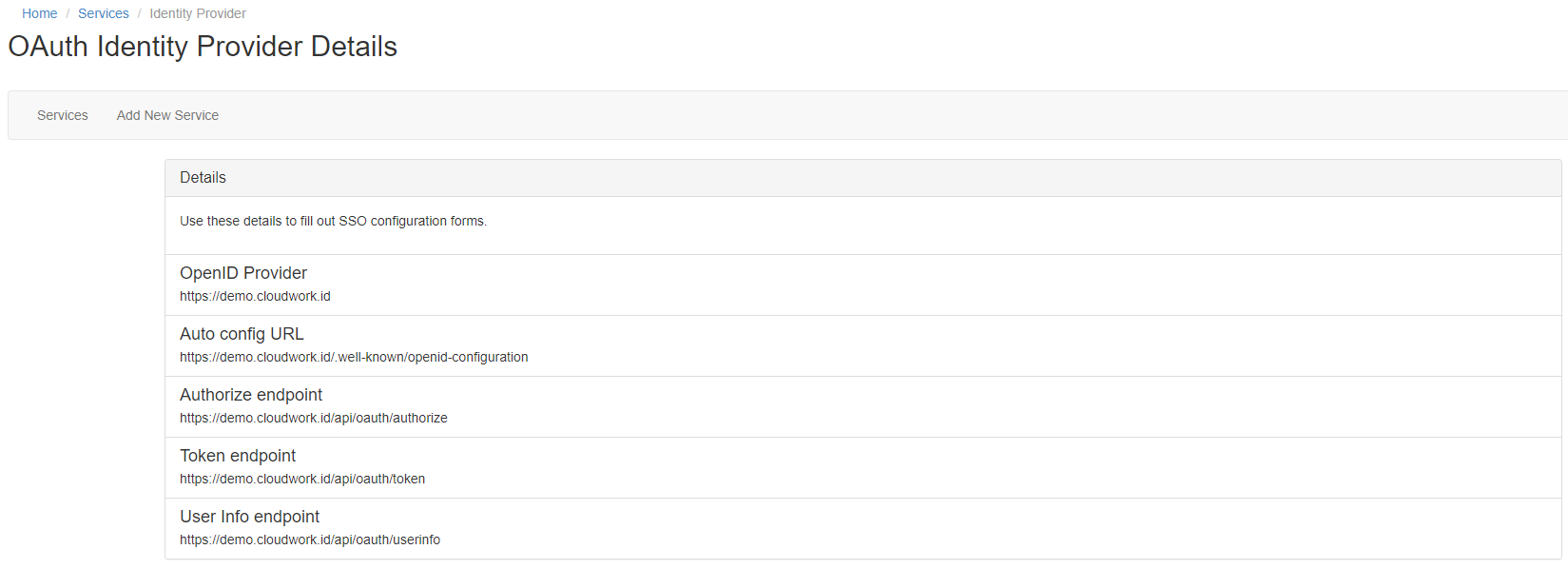
Navigate to Cloudwork Dashboard>Single Sign On>Manage OpenID Connect Apps>Identity Provider and make note of the OpenID Provider

Example of OAuth IdP Details
Email Template
Hi Support,
<School Name> is wanting to enable SSO with Cloudwork and Maestro.
Please provide the school's Maestro login URL
SSO Setup on Maestro Side


