OpenID Connect
Jump to navigation
Jump to search
Contents
OpenID Connect
General Settings
- Login to Cloudwork Dashboard
- Navigate to Single Sign On>Manage OpenID Connect Apps
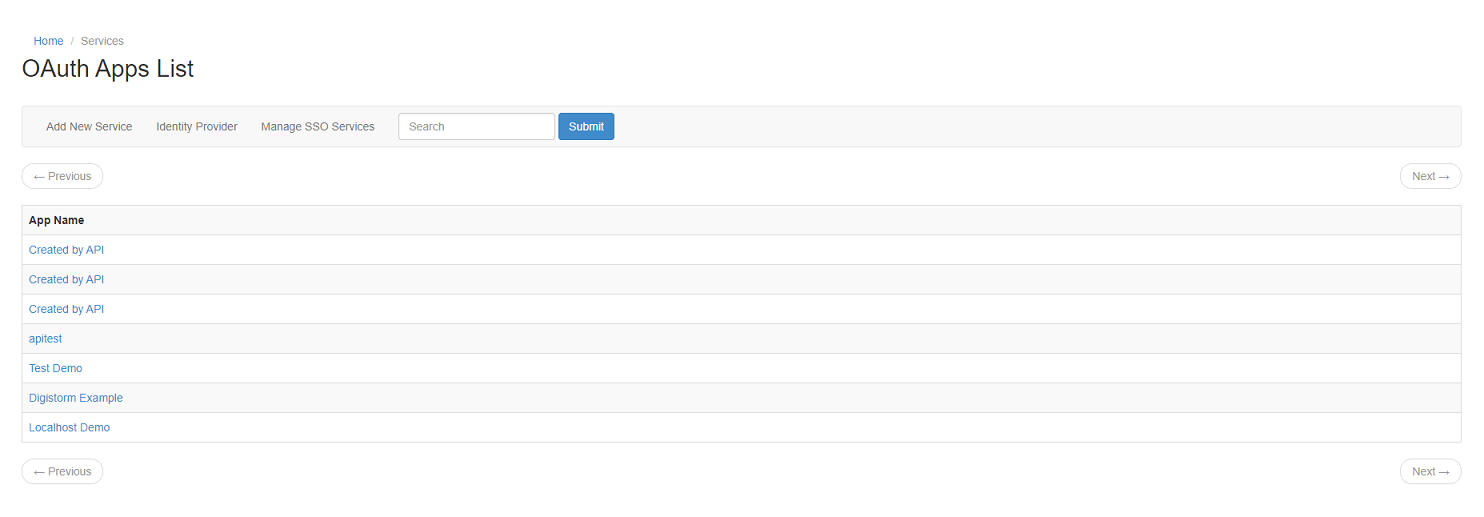 Example of OpenID Connect Apps List

Here you will be able to list of already configured OpenID Connect Apps
Creating a new OAuth App
- Navigate to Single Sign On>Manage OpenID Connect Apps > Add New Service
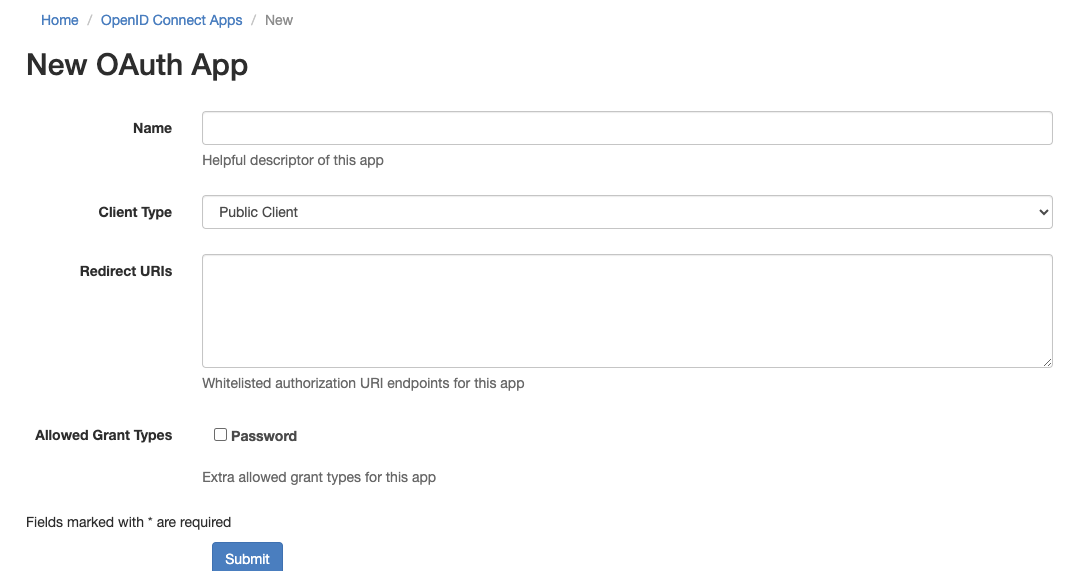

OpenID Connect IDP Details
- Navigate to Single Sign On>Manage OpenID Connect Apps>Identity Provider
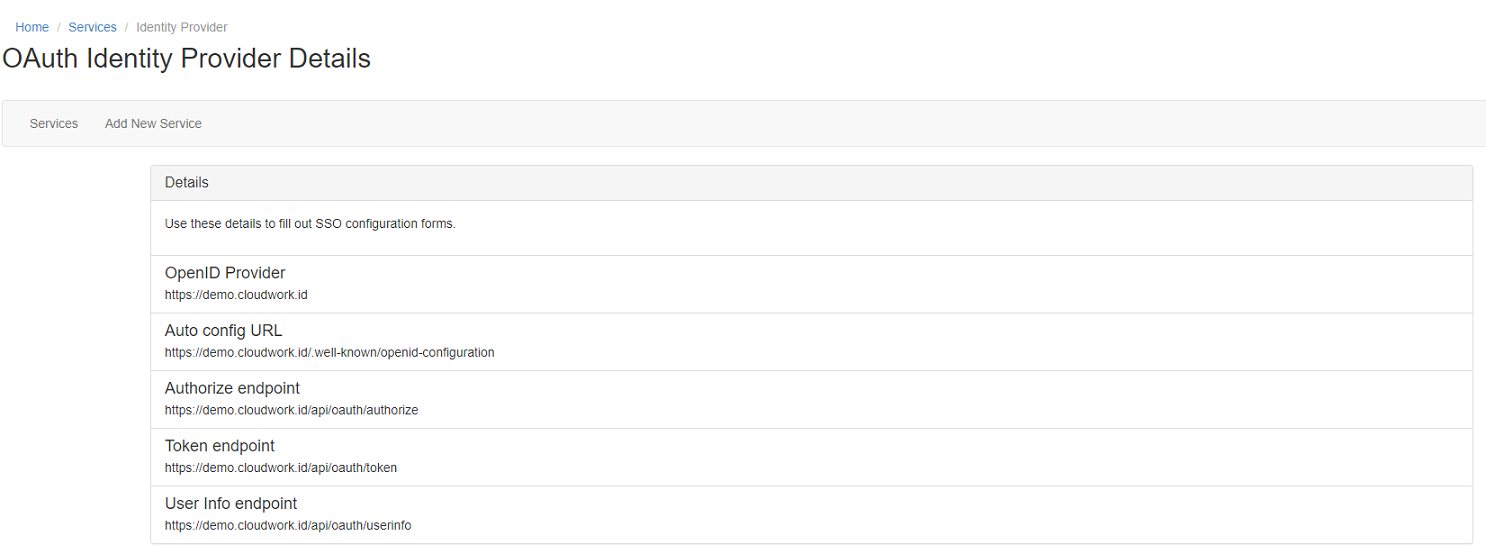 Example of OpenID Connect IDP Details

Supported Scopes
Cloudwork supports the following scopes
- openid: Required for OpenID Connect
- email: Optional; required if you need the user's primary email address
- profile: provides the standard profile claims defined by the OpenID Connect specs
- https://scopes.cloudwork.id/profile: provides custom claims configured in Cloudwork that aren't explicitly part of the OIDC spec, such as SIS ID
- offline_access: allows access to refresh tokens
