Difference between revisions of "Canvas Sync Integration"
Jump to navigation
Jump to search
Jrobertson (talk | contribs) |
Jrobertson (talk | contribs) |
||
| Line 6: | Line 6: | ||
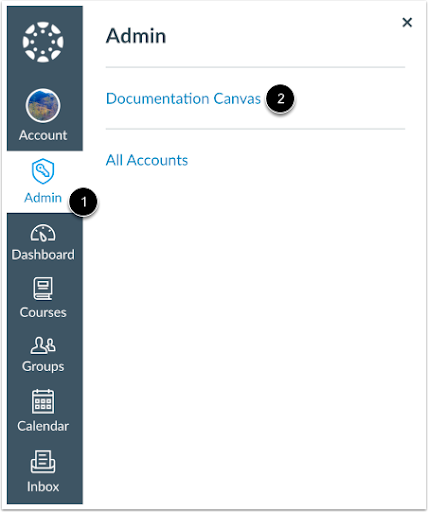
# In Global Navigation, click the Admin link and select the account<br>[[Image:canvasint1.png]]<br> | # In Global Navigation, click the Admin link and select the account<br>[[Image:canvasint1.png]]<br> | ||
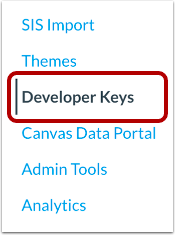
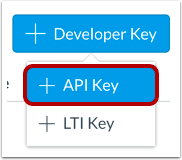
| − | + | # On the Account Navigation Panel, click on the Developer Keys > Add Developer Key > API Key<br>[[Image:canvasint2.png]][[Image:canvasint3.png]] | |
[[Category: Cloudwork Dashboard]] | [[Category: Cloudwork Dashboard]] | ||
Revision as of 04:07, 21 January 2025
Setting up
In your Canvas Instructure
- In Global Navigation, click the Admin link and select the account
- On the Account Navigation Panel, click on the Developer Keys > Add Developer Key > API Key