Difference between revisions of "OAuth App"
Jump to navigation
Jump to search
(Created page with "==New OAuth App== Custom Single Sign On services using OpenID Connect can be added via a New OAuth App. This located in the '''Cloudwork Dashboard'''>'''Single Sign On'''>'''M...") |
|||
| (One intermediate revision by the same user not shown) | |||
| Line 1: | Line 1: | ||
==New OAuth App== | ==New OAuth App== | ||
| − | Custom Single Sign On services using OpenID Connect can be added via a New OAuth App. | + | Custom Single Sign On services using OpenID Connect can be added via a New OAuth App.<br> |
| − | This located in the '''Cloudwork Dashboard'''>'''Single Sign On'''>''' | + | This located in the '''Cloudwork Dashboard'''>'''Single Sign On'''>'''OpenID Connect'''>'''Add New Service''' |
[[File:OAuth_New.PNG|centre|frame|Form for adding a OAuth App]] | [[File:OAuth_New.PNG|centre|frame|Form for adding a OAuth App]] | ||
Latest revision as of 02:03, 24 April 2025
New OAuth App
Custom Single Sign On services using OpenID Connect can be added via a New OAuth App.
This located in the Cloudwork Dashboard>Single Sign On>OpenID Connect>Add New Service

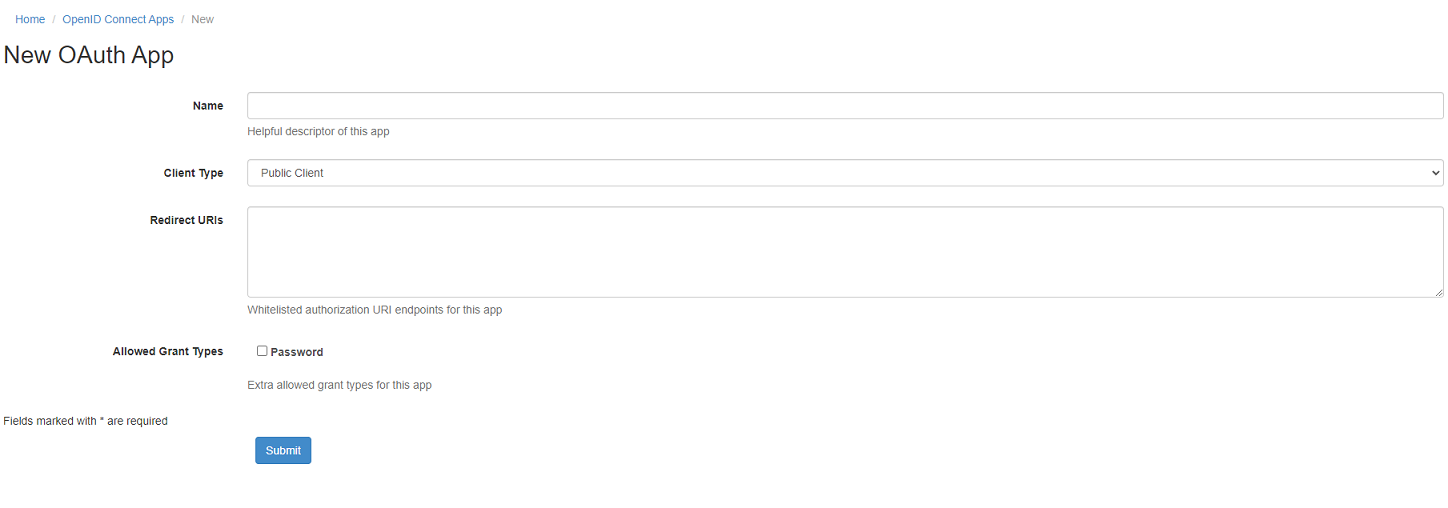
Form for adding a OAuth App
- Name - The name of the service
- Client Type - Two options to select from
- Public Client is for mobile applications
- Web Application is for web applications
- Redirect URIs - URLs provided by service will go into this field
- Allowed Grant Types - As a part of JAMF Connect support, allow password grant type via a checkbox
